
| 일 | 월 | 화 | 수 | 목 | 금 | 토 |
|---|---|---|---|---|---|---|
| 1 | 2 | 3 | ||||
| 4 | 5 | 6 | 7 | 8 | 9 | 10 |
| 11 | 12 | 13 | 14 | 15 | 16 | 17 |
| 18 | 19 | 20 | 21 | 22 | 23 | 24 |
| 25 | 26 | 27 | 28 | 29 | 30 | 31 |
Tags
- Digital
- Arduino UNO
- embedded system
- sensor reading
- ADC
- Electronics
- leds control
- Arduino
- mh-sensor series
- Communication
- led
- i2c lcd1602
- arduino idl
- potentiometer
- DIY
- analog to digital conversion
- Analog
- embedded systems
- flying-fish ir sensor
- arduino led blink
- Open source
- BreadBoard
Archives
- Today
- Total
eng-life 님의 블로그
Arduino Uno: Infrared Sensor (8) 본문
반응형
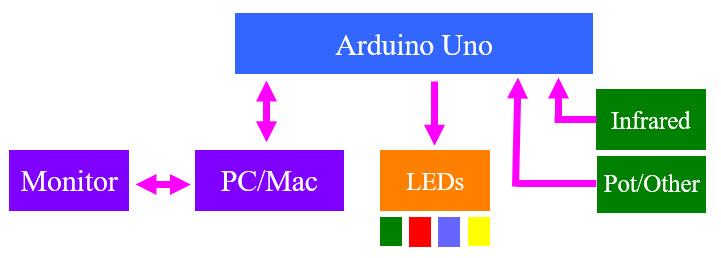
Lets' a different type of sensor that will detect motion and use our 4 LEDs to tell us how close an object is to our sensor.
- This is an Infrared Obstacle Avoidance Sensor Module (MH-Sensor Series, Flying-Fish)
- Emits and detects IR similar to a RADAR

MH-Sensor Series, Flying-Fish
- Effective distance range: 2-30 cm
- Detection distance knob potentiometer
- 3.3V - 5V working voltage
- 35º detection angle
Wiring
- Connect the 3 wires to the IR sensor as shown

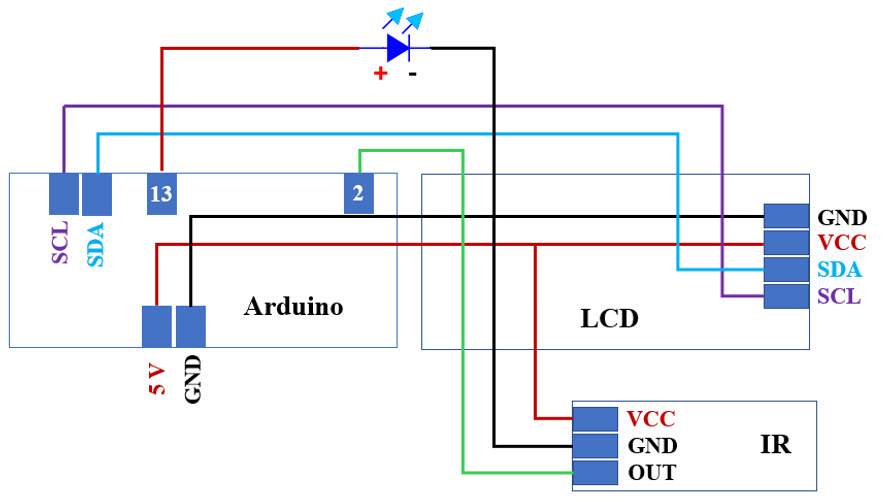
- Connect VCC from IR sensor to 5V on the Arduino
- Connect GND from IR sensor to GND on the Arduino
- Connect OUT from IR sensor to Digital Output 2 on the Arduino
- Connect an LED (+lead) to Pint 13 and ( - lead) to GND on the Arduino
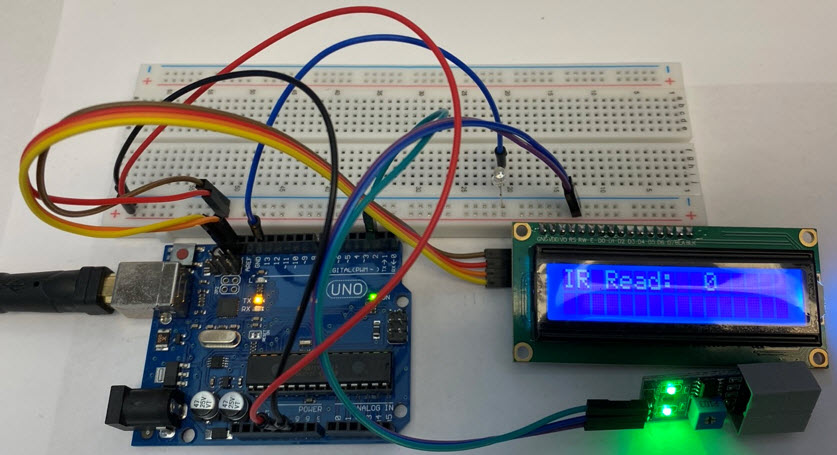
What do you have to change in the code?

Read the value on 2 and display a message on the LCD.

Use our 4 LEDs to tell us how close an object is to our sensor.
Connection
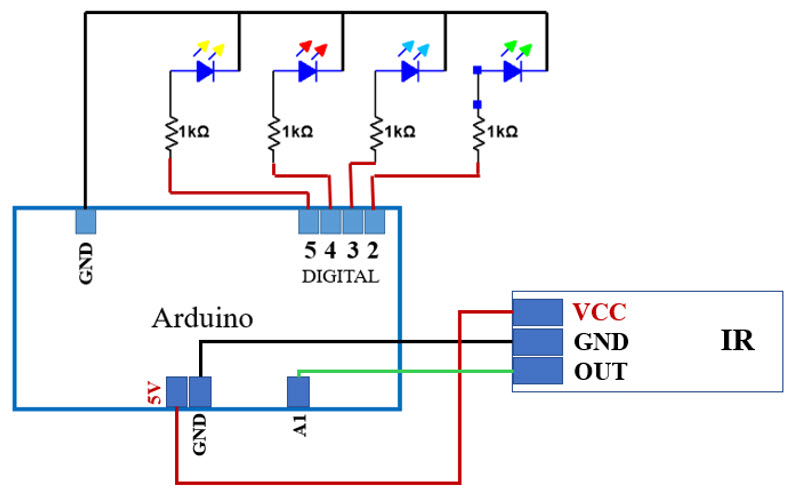
- What do you have to change in the code?
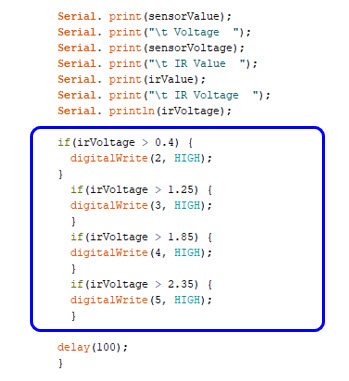
- New variables, print statements ad levels for LED since 3.2V is teh max value.
- Selt levels for 30 cm , 32 cm, 35 cm, and 40 cm.
- Like the Potentiometer, the IR device is just another analog sensor.
New variavle for IR sensor.
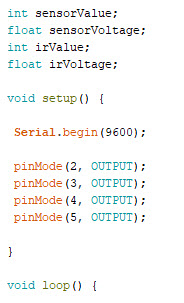
Read the Value on A1.

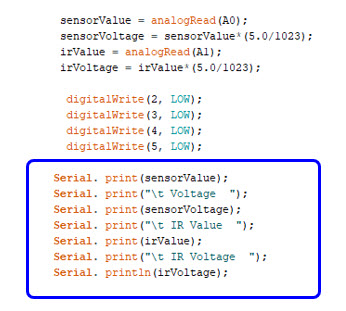
Change the print statement
Use the following values for the IR sensor
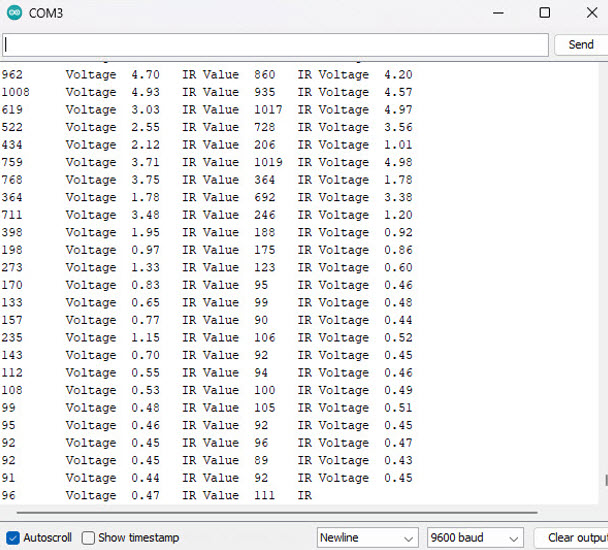
Compile, Upload, and Test!
Verify LED Visual Display is working by comparing with Serial Monitor.
'ENGR' 카테고리의 다른 글
| Arduino Uno: Liquid Crystal Display (7) (4) | 2025.06.04 |
|---|---|
| Arduino Uno: Potentiometer (6) (1) | 2025.06.03 |
| Arduino Uno: Analog vs. Digital (5) (0) | 2025.06.03 |
| Arduino Uno: LED Visual Display (4) (0) | 2025.06.02 |
| Arduino Uno: Blink an LED (3) (3) | 2025.06.02 |
'ENGR' Related Articles
more


