
| 일 | 월 | 화 | 수 | 목 | 금 | 토 |
|---|---|---|---|---|---|---|
| 1 | 2 | 3 | ||||
| 4 | 5 | 6 | 7 | 8 | 9 | 10 |
| 11 | 12 | 13 | 14 | 15 | 16 | 17 |
| 18 | 19 | 20 | 21 | 22 | 23 | 24 |
| 25 | 26 | 27 | 28 | 29 | 30 | 31 |
Tags
- Analog
- ADC
- arduino led blink
- Digital
- embedded system
- Arduino
- analog to digital conversion
- Open source
- potentiometer
- DIY
- led
- Communication
- flying-fish ir sensor
- mh-sensor series
- Electronics
- arduino idl
- BreadBoard
- i2c lcd1602
- sensor reading
- Arduino UNO
- leds control
- embedded systems
Archives
- Today
- Total
eng-life 님의 블로그
Arduino Uno: Liquid Crystal Display (7) 본문
반응형
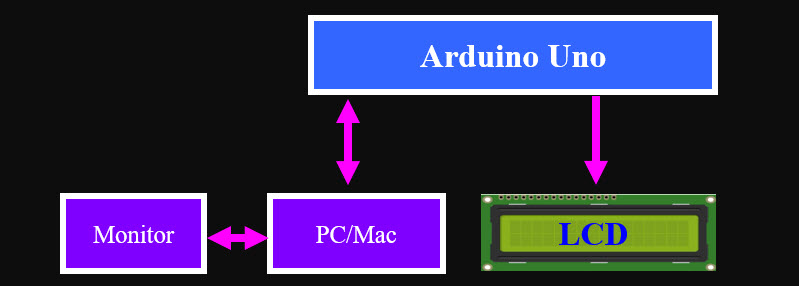
- I2C LCD1602 is composed of an LCD1602 and an I2C module, LCD1602 can be used to display characters, numbers, etc., but need to take up a lot of pins of the main control, after configuring an I2C module, only 2 I/0 pins are needed to drive this LCD1602.
- The I2C module has a built-in PCF8574 I2C chip that converts I2C serial data to parallel data for the LCD display.
I2C LCD1602
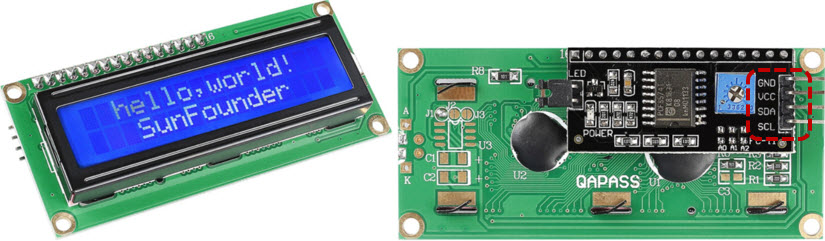
- GND: Ground
- VCC: Voltage supply, 5V.
- SDA: Serial data line. Connect to VCC through a pullup resistor
- SCL: Serial clock line. Connect to VCC through a pullup resistor
Backlight/Contrast
Backlight can be enabled by jumper cap, unplug the jumper cap to disable the backlight. The blue potentiometer on the back is used to adjust the contrast (the ratio of brightness between the brightest white and the darkest black).
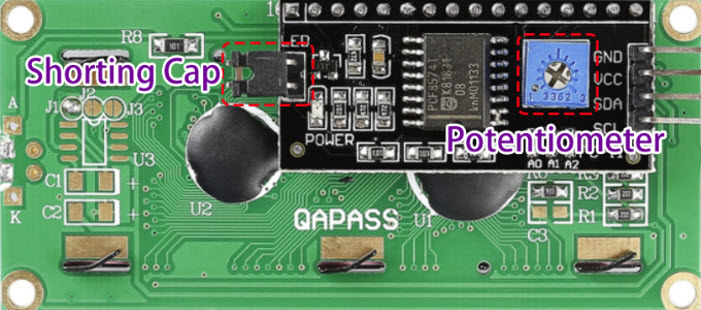
- Shorting Cap: Backlight can be enabled by this cap, unplugg this cap to disable the backlight.
- Potentiometer: It is used to adjust the contrast (the clarity of the displayed text), which is increased in the clockwise direction and decreased in the counterclockwise direction.
- Schematic

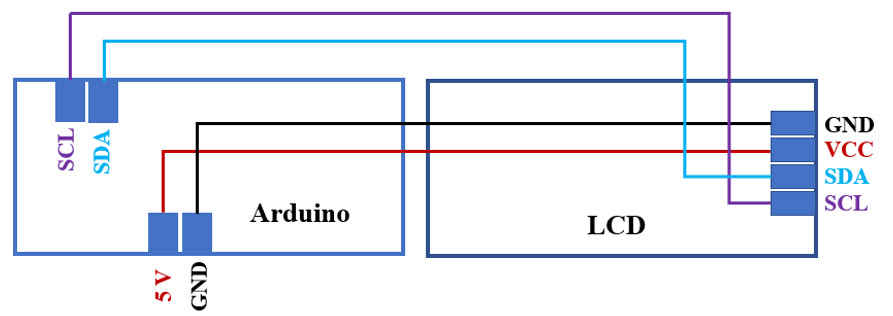
- Wiring

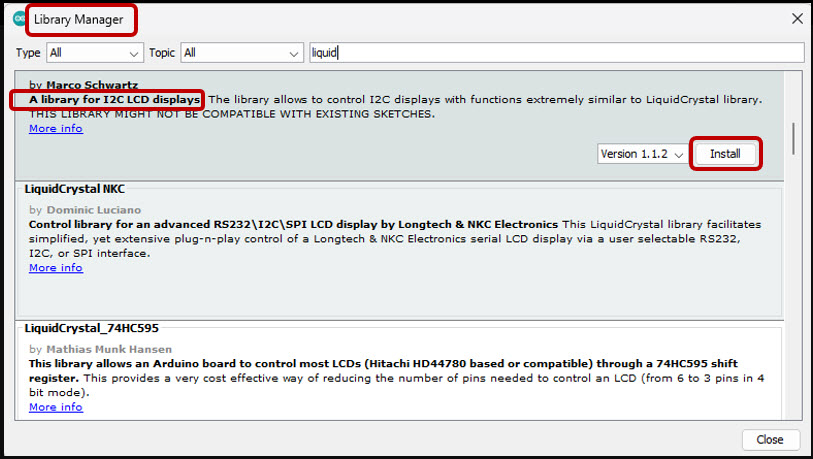
- Install “LiquidCrystall I2C” from the Library Manager.
- Codes

LCD Serial Read
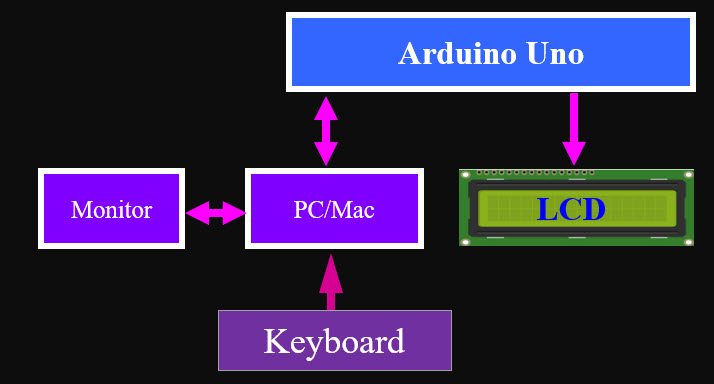
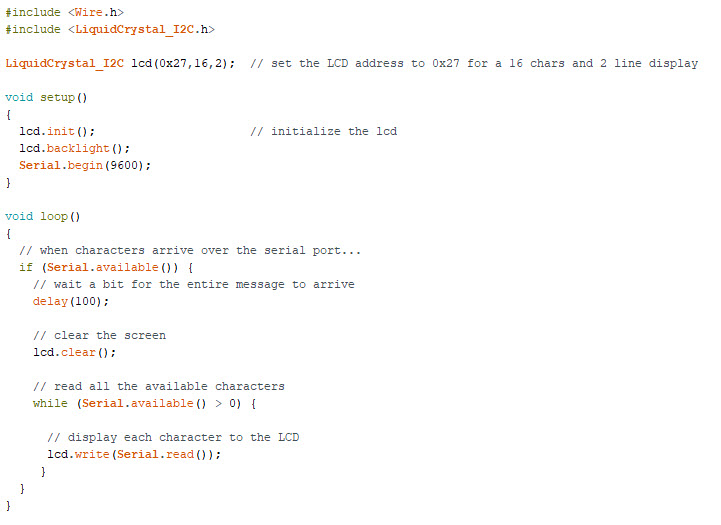
Using I2C LCD1602 to Display the text entered in the Serial Monitor in order to experience the usage of “ Serial.read( ) ”
- Code
- Open Serial Monitor

- Check LCD Dispaly
'ENGR' 카테고리의 다른 글
| Arduino Uno: Infrared Sensor (8) (0) | 2025.06.07 |
|---|---|
| Arduino Uno: Potentiometer (6) (1) | 2025.06.03 |
| Arduino Uno: Analog vs. Digital (5) (0) | 2025.06.03 |
| Arduino Uno: LED Visual Display (4) (0) | 2025.06.02 |
| Arduino Uno: Blink an LED (3) (3) | 2025.06.02 |
'ENGR' Related Articles
more


