
| 일 | 월 | 화 | 수 | 목 | 금 | 토 |
|---|---|---|---|---|---|---|
| 1 | 2 | 3 | ||||
| 4 | 5 | 6 | 7 | 8 | 9 | 10 |
| 11 | 12 | 13 | 14 | 15 | 16 | 17 |
| 18 | 19 | 20 | 21 | 22 | 23 | 24 |
| 25 | 26 | 27 | 28 | 29 | 30 | 31 |
- arduino led blink
- arduino idl
- flying-fish ir sensor
- ADC
- sensor reading
- Electronics
- led
- embedded system
- Communication
- potentiometer
- Arduino UNO
- DIY
- Arduino
- analog to digital conversion
- BreadBoard
- i2c lcd1602
- leds control
- mh-sensor series
- Digital
- Open source
- Analog
- embedded systems
- Today
- Total
eng-life 님의 블로그
Arduino Uno Communication (2) 본문
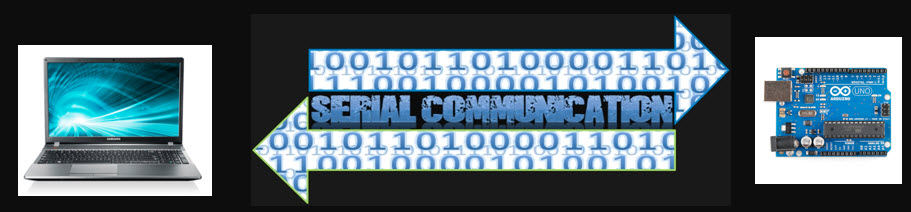
Arduino uses serial communication to communicate with your laptop or desktop.
Serial communication is a widely used protocol for transmitting (Tx) and receiving (Rx) binary data and requires a few easy functions to get it started with Arduino.
1. Upload code to Arduino
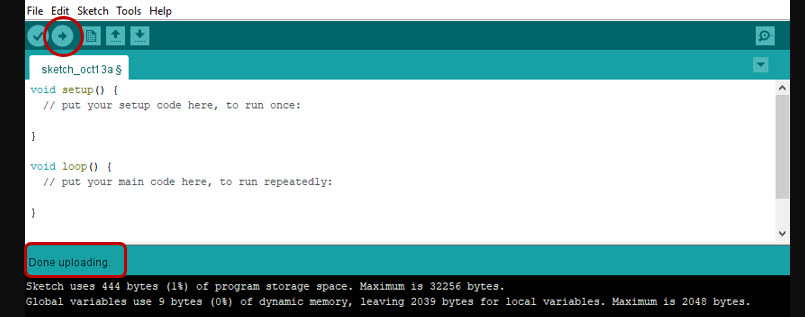
If successfully uploaded, you will know that your PC/MAC can communicate with your Arduino.
What is code?
Something you want the computer to do:
- There are different programming languages in the same way that we have different languages
We say “Hello,” Arduino says
Serial.begin(9600);
Serial.print(“Hello”); - Arduino language is based on C/C++
- Just like with spoken human languages, once you know one learning others is easier.
2. Modify the sketch to add the followig to the "void setup( )"
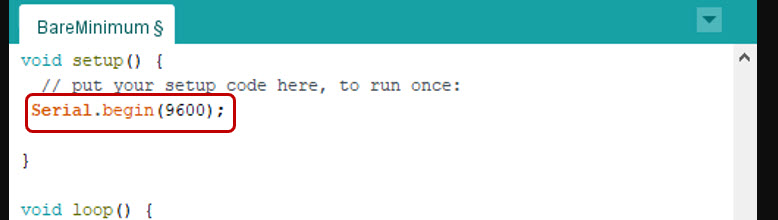
Serial.begin( )
- Serial.begin( ) needs us to specify a communication rate (baud rate).
- We use 9600 bits per second, so put 9600 in the parentheses.
- Serial.begin( ) is in setup because this rate needs to be set only once.
3. Modify your sketch to include the following:
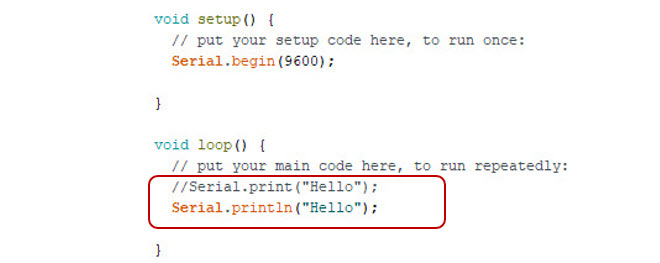
- Serial.print( ) will just print to the monitor.
- Serial.println( ) will print to the monitor and then go to the next line (essentially pushes ‘return’)
4. Compile code and check for messages.
5. Upload code to Arduino (will check communication with Arduino too).

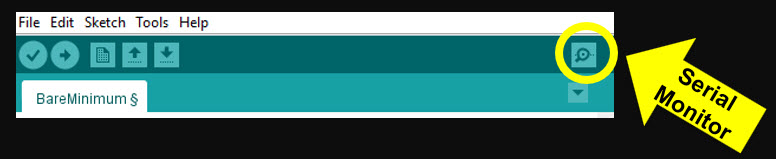
6. To open the serial monitor, click her
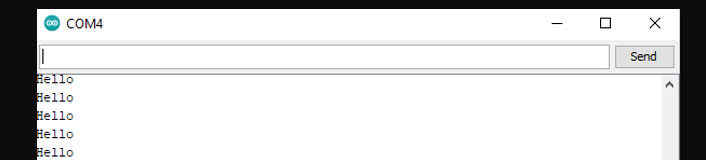
7. You should see this on your serial monitor.
8. Commenting
- Arduino ignores comments but humans read them.
- Words become light gray if they commented out.
- Put // in front of a line to comment out whole line.
- To comment out an entire section, put /* at the beginning and */ at the end.

'ENGR' 카테고리의 다른 글
| Arduino Uno: Potentiometer (6) (1) | 2025.06.03 |
|---|---|
| Arduino Uno: Analog vs. Digital (5) (0) | 2025.06.03 |
| Arduino Uno: LED Visual Display (4) (0) | 2025.06.02 |
| Arduino Uno: Blink an LED (3) (3) | 2025.06.02 |
| Arduino Uno Overview (1) (2) | 2025.06.01 |


