
| 일 | 월 | 화 | 수 | 목 | 금 | 토 |
|---|---|---|---|---|---|---|
| 1 | 2 | 3 | ||||
| 4 | 5 | 6 | 7 | 8 | 9 | 10 |
| 11 | 12 | 13 | 14 | 15 | 16 | 17 |
| 18 | 19 | 20 | 21 | 22 | 23 | 24 |
| 25 | 26 | 27 | 28 | 29 | 30 | 31 |
- arduino idl
- Communication
- embedded systems
- Arduino
- Electronics
- leds control
- sensor reading
- led
- potentiometer
- DIY
- analog to digital conversion
- mh-sensor series
- BreadBoard
- Analog
- i2c lcd1602
- Open source
- flying-fish ir sensor
- arduino led blink
- embedded system
- ADC
- Arduino UNO
- Digital
- Today
- Total
eng-life 님의 블로그
Arduino Uno Overview (1) 본문
Arduino Overview
General Purpose computer
- Usually has a human in the loop.
- Can be reconfigured to do any number of tasks (excel, email, music)
Arduino is a embedded system

- Embedded Systems: Human input not required all the time.
- Takes specific inputs and computes outputs for a very specific application.
- Meets real-time goals: Heated monitor, Automatic braking System (ABS).
- Board supports an open source environment, lots of assistance available online.
- Extremely modular.
- Types of Arduinos: Uno, Due, Mega, Mini.
- Each version has different capabilities.
- Lots of analog and digital I/O.
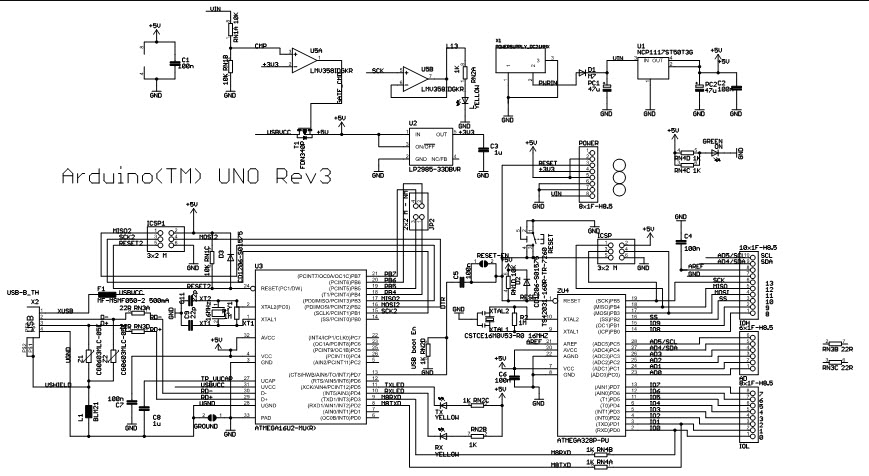
Arduino Uno Rev 3
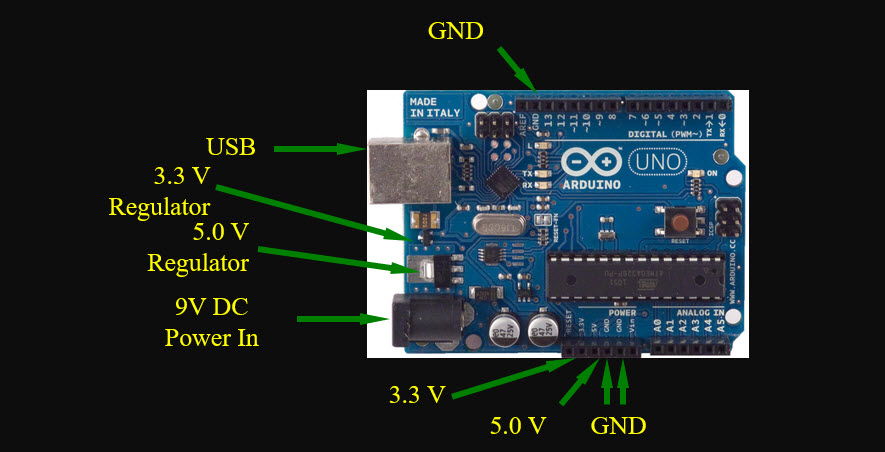
What’s under the hood?
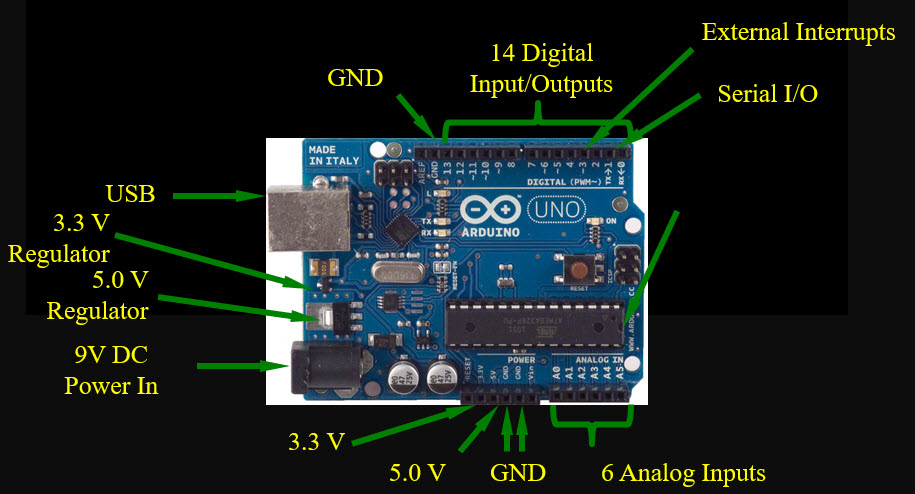
The Easy Stuff:
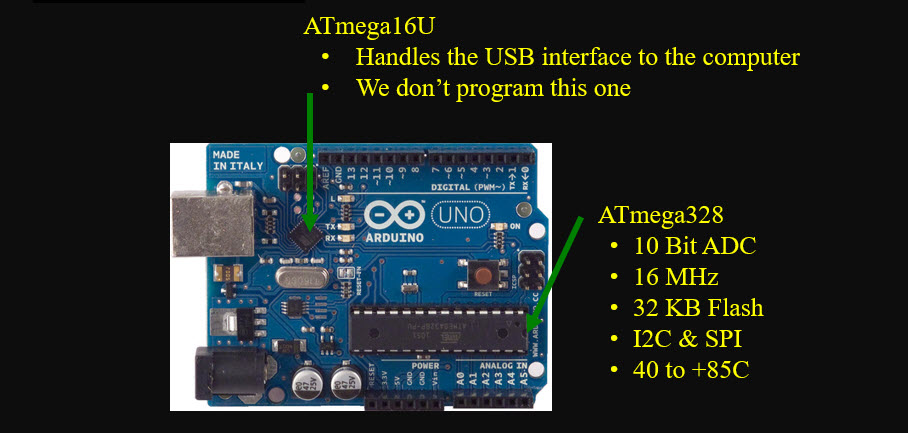
The Chips:
Lets’ take it for a drive:
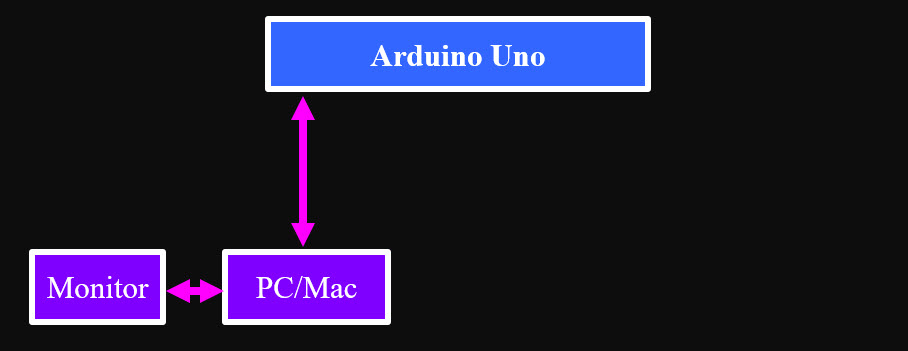
1. Connect the PC and Arduino with a USB cable.
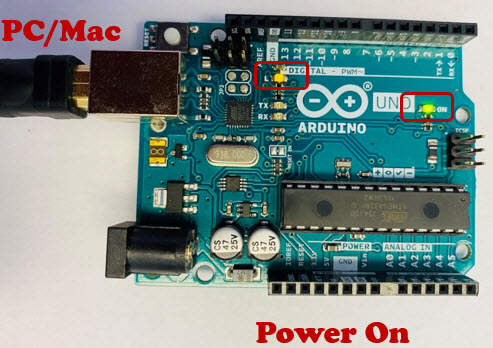
2. After connecting the USB cable, check if two SMD LEDs on the Arduino board are ON.
3. Launch the Arduino Software. Download Arduino IDE: https://www.arduino.cc/en/software/
4. A new Sketch opens
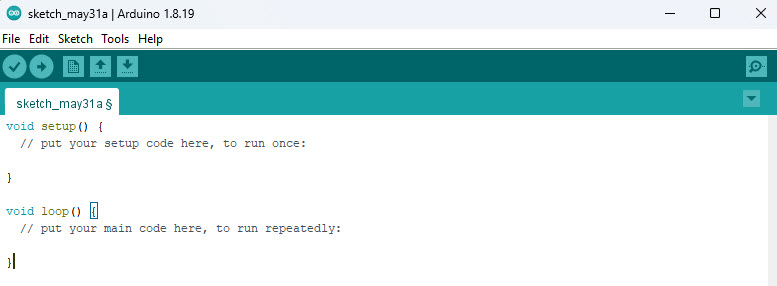
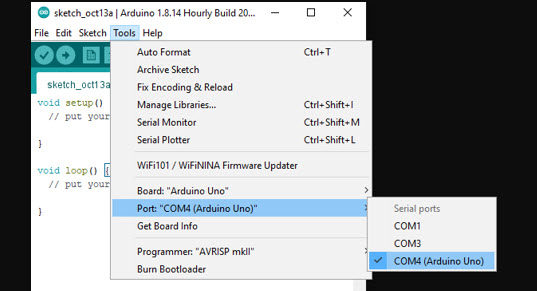
5. Select the right board or Tools > Board > Arduino Uno
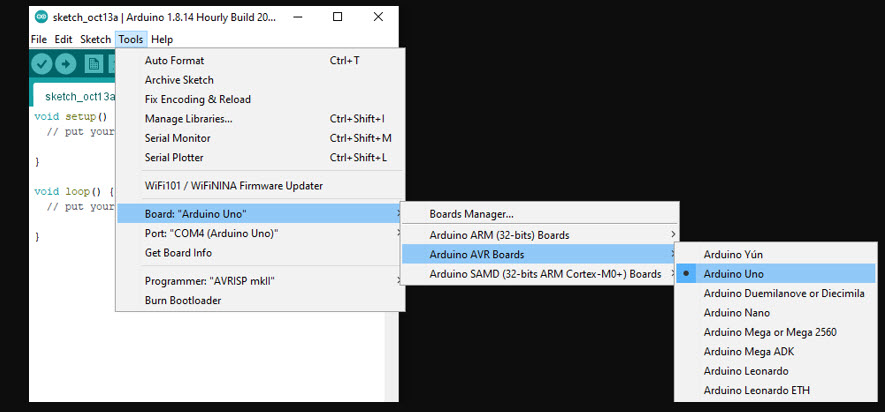
6. Select a serial port
- For Mac use: Tools > Serial Port > /dev/tty.usbmodemxxx
- For PC use: Tools > Serial Port > COMXX
※ Note: the 'xxx' and 'xx' above can be any number - it does not matter which number you choose as long as one is selected.
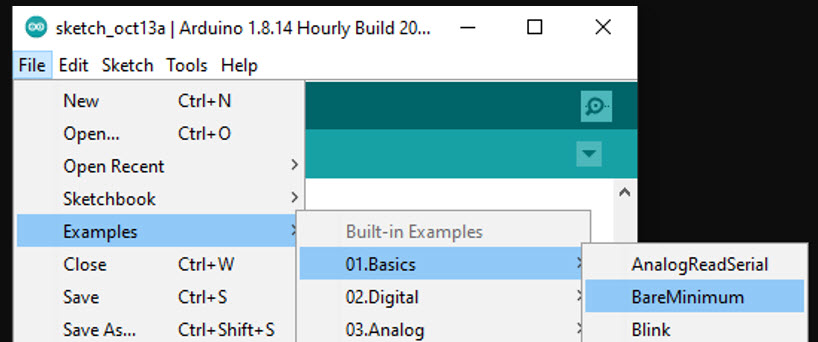
7. Navigate to: File > Examples > 01. Basics > BareMinimum
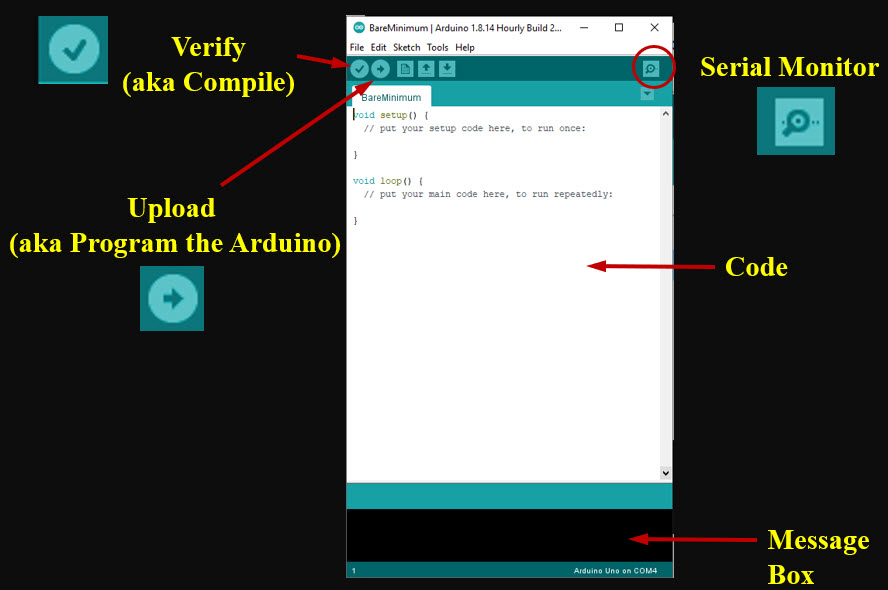
8. View of A sketch
9. There are three main sections of code in a Arduino:
- Definitions are declared prior to void setup and can include pin definitions, libraries to include in the sketch, functions, and global variables. Most programs declare something, but this is not required.
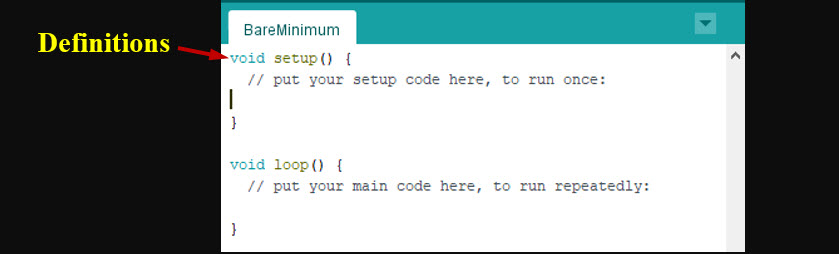
- Void setup is the first code block in the sketch. It is run only once. Used for setup of pin modes, communication initialization, and any code we only want to run one time (i.e. we prepare an SD card by formatting it in the beginning).
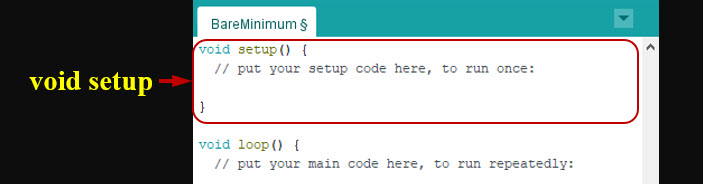
- Void Loop is the second code block in the Arduino sketch and it continuously repeats itself. For code that needs to repeat such as sampling a sensor every couple of seconds.
10. Even though this Sketch is not doing anything, it has all the necessary ingredients to be compiled and uploaded.
What is Compiling?
- It checks your code for syntax errors and returns error messages.
- Converts human-readable code into machine language (zeroes and ones)
- When you tell the Arduino to upload, it first compiles then uploads (programs) your code (communicating with laptop / desktop and Arduino)
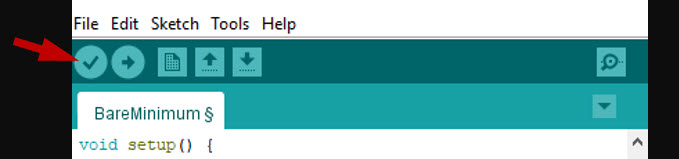
11. Click the arrow and check if any error messages.
'ENGR' 카테고리의 다른 글
| Arduino Uno: Potentiometer (6) (1) | 2025.06.03 |
|---|---|
| Arduino Uno: Analog vs. Digital (5) (0) | 2025.06.03 |
| Arduino Uno: LED Visual Display (4) (0) | 2025.06.02 |
| Arduino Uno: Blink an LED (3) (3) | 2025.06.02 |
| Arduino Uno Communication (2) (1) | 2025.06.01 |


