ENGR
Arduino Uno: Potentiometer (6)
eng-life
2025. 6. 3. 10:29
반응형
Arduino Uno with a Potentiometer or Variable resistor.
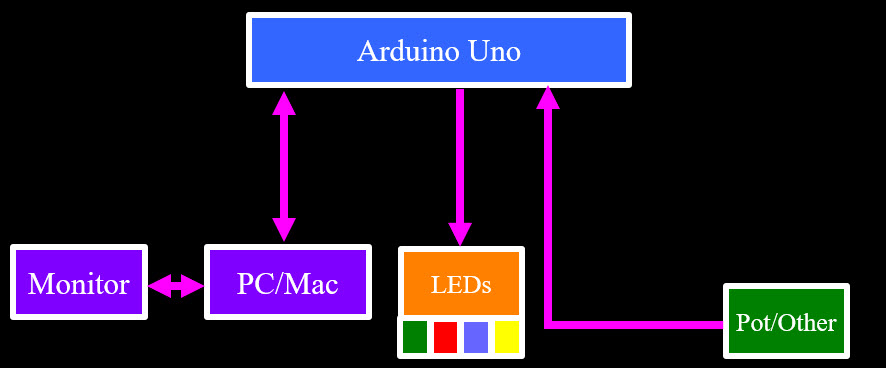
Potentiometer can sweep its output between two voltages it is supplied.
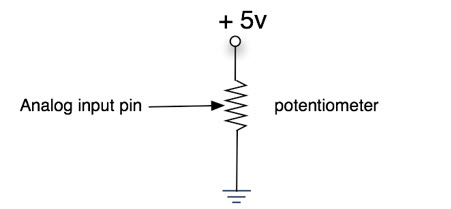
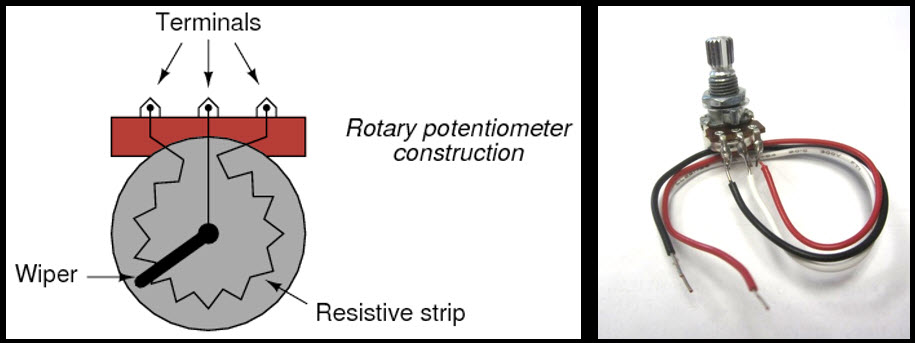
Build circuit
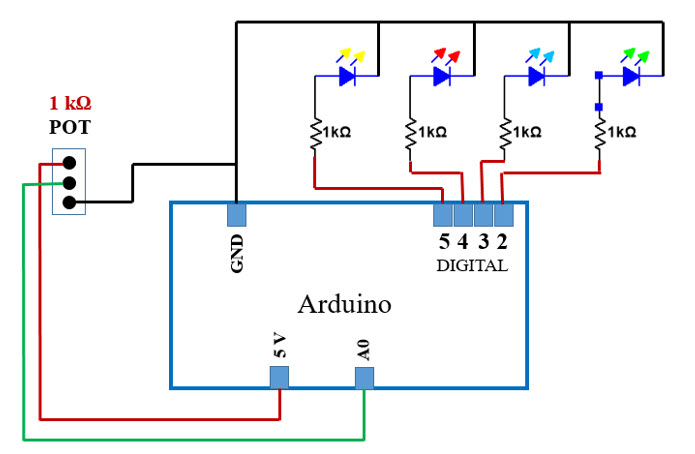
- Connect 5V on the Arduino to PWR Rail on the breadboard
- Connect GND Rail to J29
- Connect 5V on PWR Rail to J28

- Connect the Red wire from POT to H28
- Connect Black wire from POT to I29

- Connect the Blue wire from POT to A0 on the Arduino.

- Modify your sketch to ass the following variable.

- Read value on pin A0 by using analogRead.
- Serial.println the value on A0
- Change delay to 50 ms.

- Compile and Upload
- Start Serial Monitor
- LEDs should be blinkling fast.

What does the value mean/represent?
- Value is digital (integer=whole number) equivalent of average value
- When the voltage is 0.0V we see "0"
- When the voltage is 5.0V, wee see "1023"
What resolution?
- 10-bit conversion has 2 power of 10 (0 to 1023) possible values
- Resolution is:

- What is the voltage ooutput of the potentiometer if value is 689?
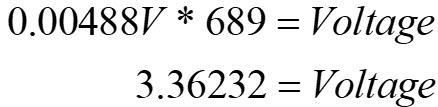
Modify the sketch to calculate the voltage based on the analogRead value and print to the screen
- Will need to create a new variable (float) and use some math
- Printing more than two items to the screen, use....
☆ Serial.print(" ") // to print to same line
☆ Serial.print("\t ") // to create tab
☆ Serial.println(" ") // to create a new line
- Let's look at the code change
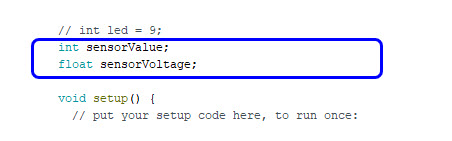
- Float because its not a whole number
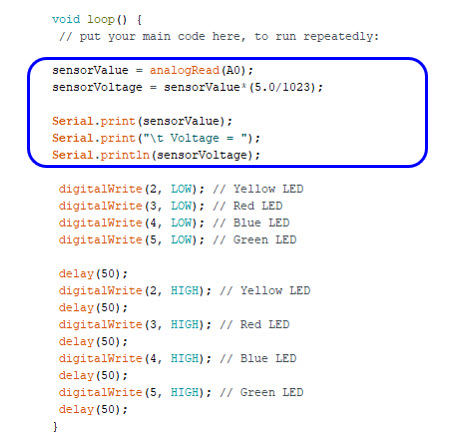
- Verify and Upload
- Launch Serial Monitor
- Turn potentiometer until you see 689 and verify same value we calculated.

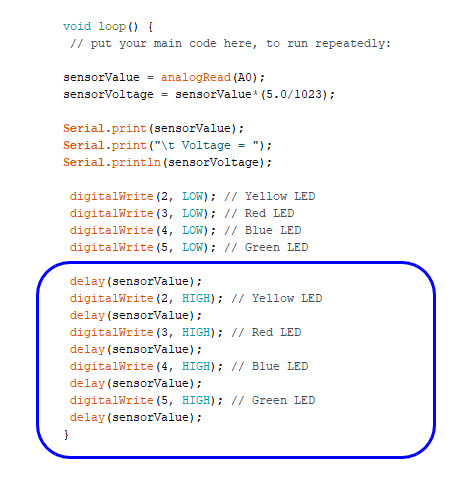
What would you have to do to use the sensorValue to control the delay of LED Blink pattern?
- Replace time in delay command with sensorValue
- Let's look at the code changes
One more step....
- Modify the sketch so we can use our LED Visual Display instead of the serial monitor to know what the sensor value / voltage is
- Use a series of if statements to turn LEDs for different values.
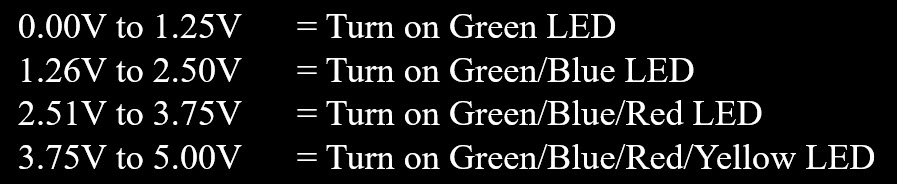
- Comment out previous digitalWrite commands.

- Add the following "if statements" to your viod loop.

- Compile and Upload.
- Verify LED Display is working by comparing with Serial Monitor and Potentiometer reading.